Mailboxes on your domain
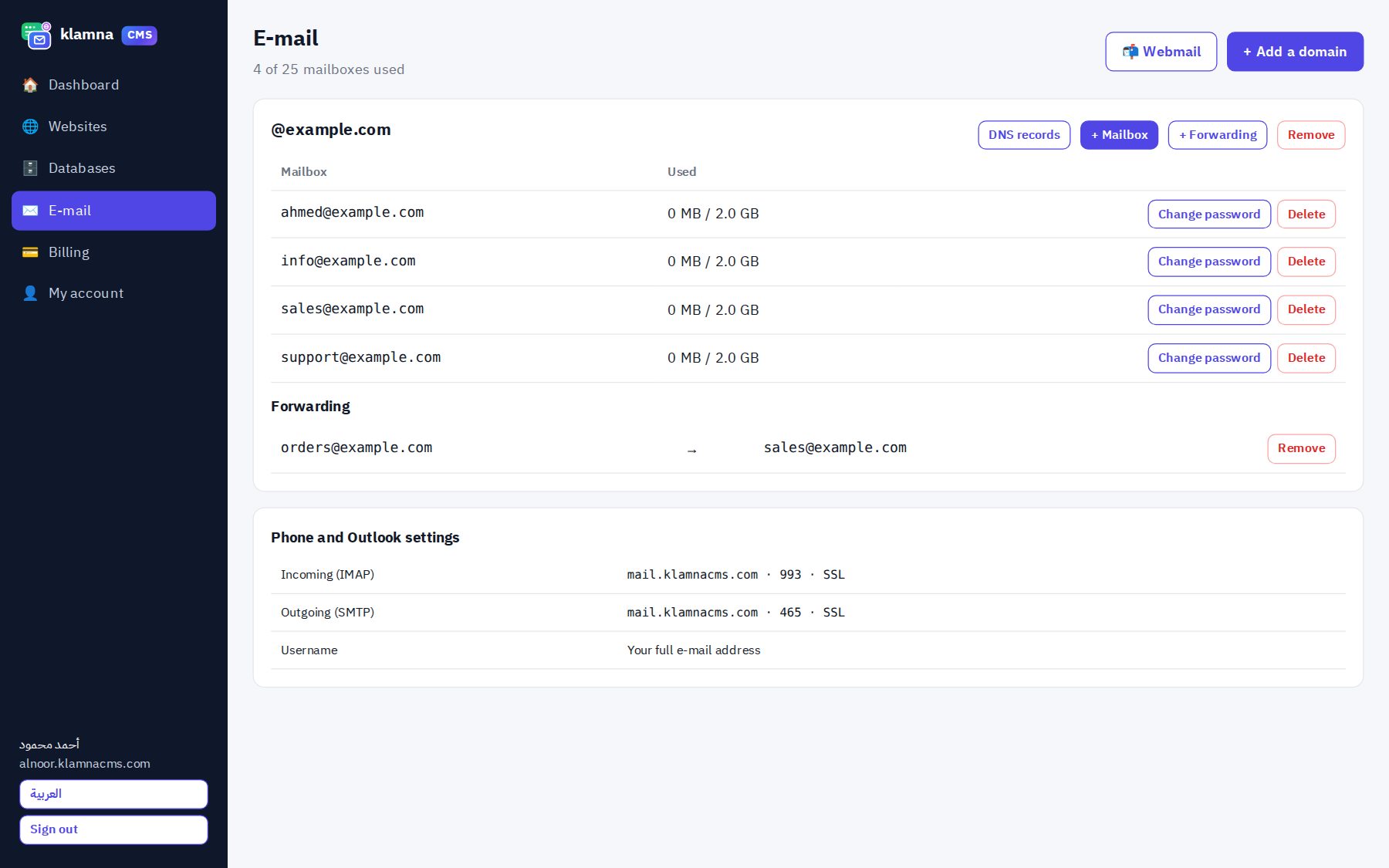
Create the mailboxes you need, each with its own size.
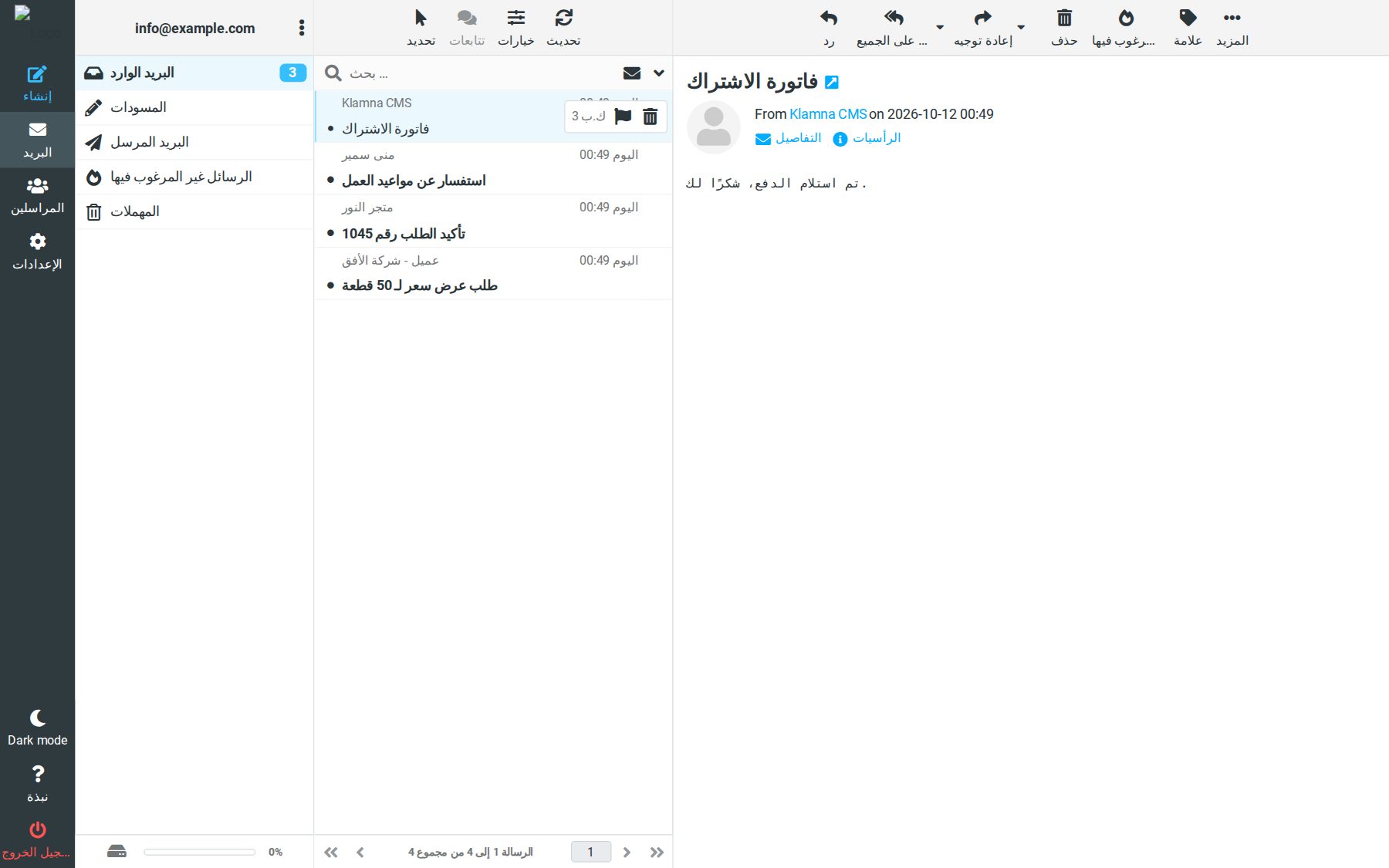
Webmail
Open your mail from any device at webmail.orderatkeg.com.
Phone and Outlook
Encrypted IMAP and SMTP for iPhone, Android, Outlook and Thunderbird.
Spam filtering
Spam goes to its own folder and is emptied after 30 days.
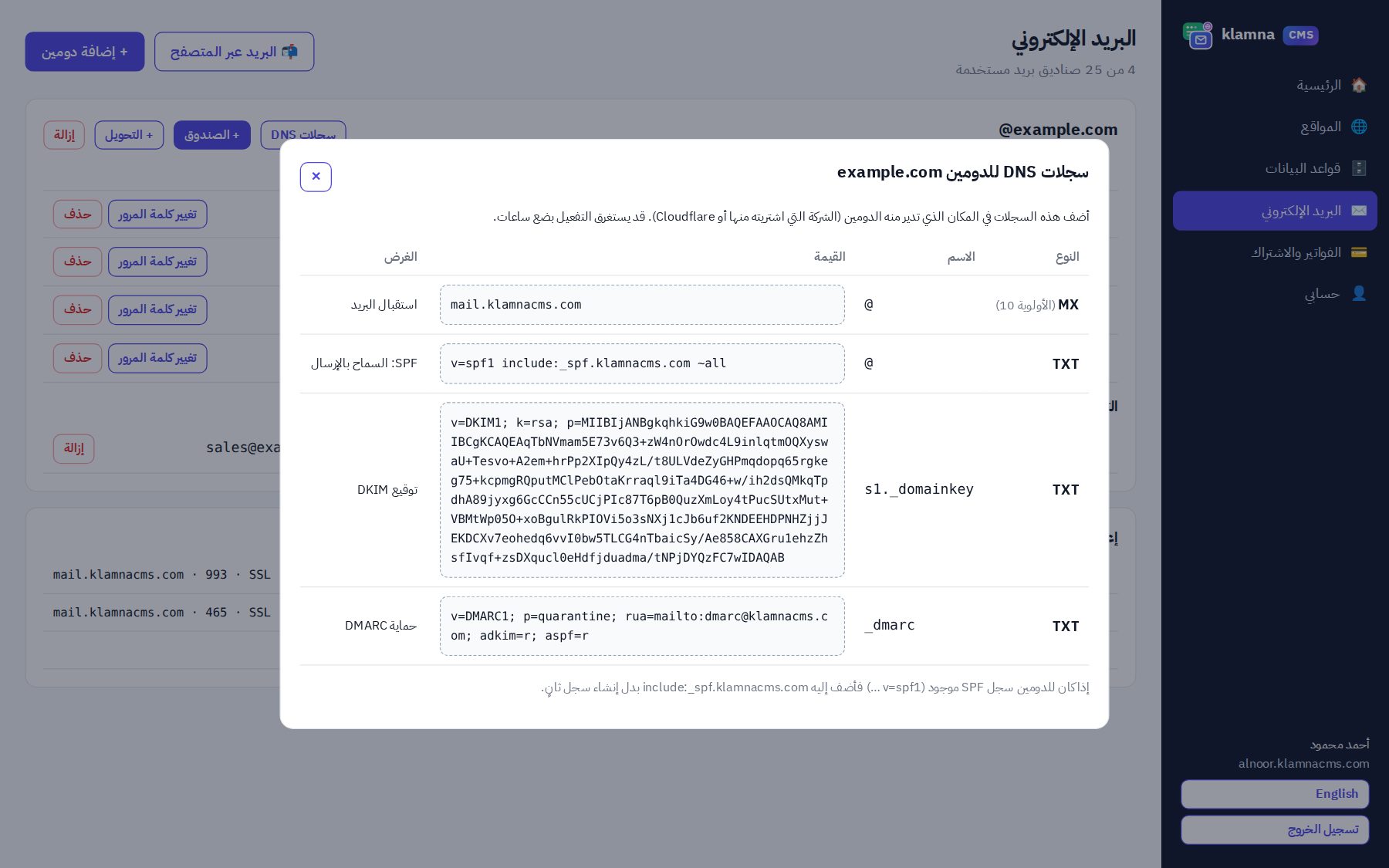
DKIM for every domain
A signing key per domain plus SPF and DMARC records.
Forwarding and auto-reply
Forward sales@ to another address, catch-all, and out-of-office replies.
How do I create e-mail in my company’s name?
- Open your Orderatk account and choose a package that includes e-mail.
- Add your domain on the E-mail page of the panel.
- Copy the DNS records we show into your domain registrar’s panel. Detailed guide
- Create the mailboxes and open them in the browser or add them to your phone.
Why our mail reaches the inbox
Most delivery problems come from missing SPF, DKIM and DMARC records. We prepare them for every domain automatically, monitor the reputation of our mail servers and limit messages per hour so a hacked mailbox cannot hurt other customers. Why e-mails go to spam
E-mail only, without a website
If your website is elsewhere, the E-mail only package gives you mailboxes on your domain with the same features; upgrade later without changing your mailboxes. Phone setup is in setting up business e-mail on your phone and Outlook, and the full walkthrough in the business e-mail guide.